NTFS and ext4 file stomping
NTFS and ext4 File Stomping
We will learn to manipulate timestamps of file systems. First I will show you how to change timestamps of NTFS file system using setmace tool and then we will manipulate ext4 file system timestamps in linux
A) NTFS Time stomping
Prerequisite
-
You should have windows xp/7/8 to perform this lab. I have not tested this tool on windows 10/11.
-
Download setmace tool from following link setmace.exe official download link
-
Store above downloaded file Setmace.exe on desktop.
-
Create and store one sample text file(In my case sids.txt). We will change timestamps of this file.
Note : store setmace.exe and your text file on different windows storage drives(C,D,E,..).
For example: Store setmace.exe on desktop (Say C:\Admin\Desktop) and store text file sids.txt on D drive (Say D:\sids.txt)
Procedure for NTFS Time stomping
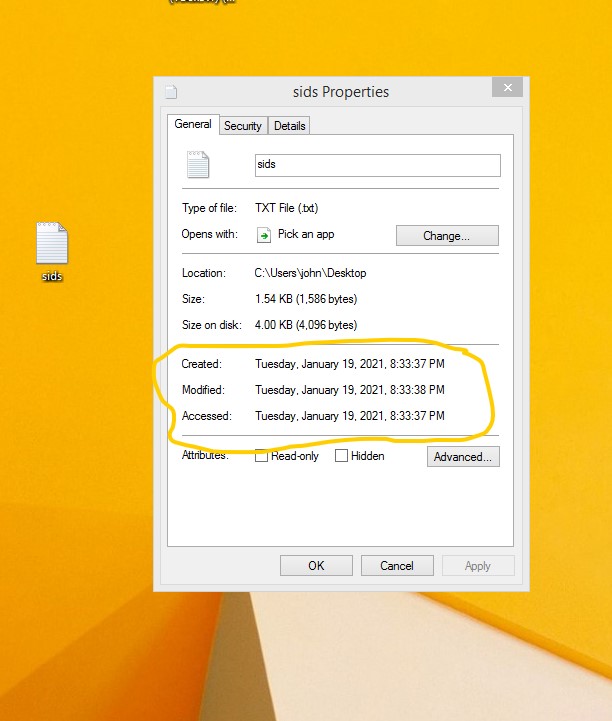
- First I will check current timestamp on my sids.txt file
-
Now I will change creation timestamp of sids.txt file. For that open command prompt(with admin privliege) and change directory where you have kept setmace.exe file. (In my case Desktop)
-
Run following command.It will change file creation timestamp
C:\Users\john\Desktop>SetMace.exe E:\sids.txt -c "2000:01:01:00:00:00:789:1234"-si
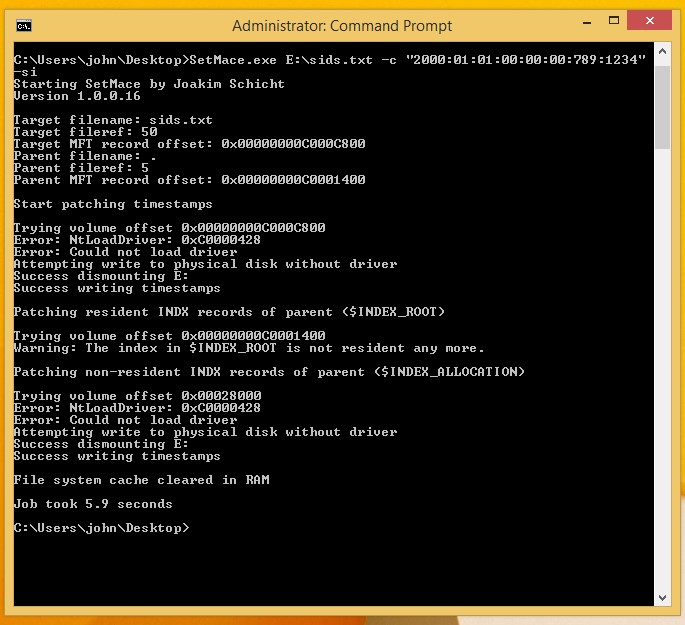
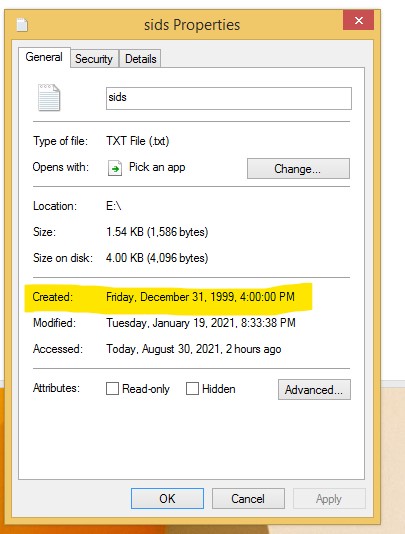
We can see changed creation timestamp of file.As shown below.
- Now I will change Last accessed time stamp of sids.txt file. Follow above steps as it is. Just insert following command in command prompt.
C:\Users\john\Desktop>SetMace.exe E:\sids.txt -a "2000:01:01:00:00:00:789:1234" -si
above command Execution will look like this.
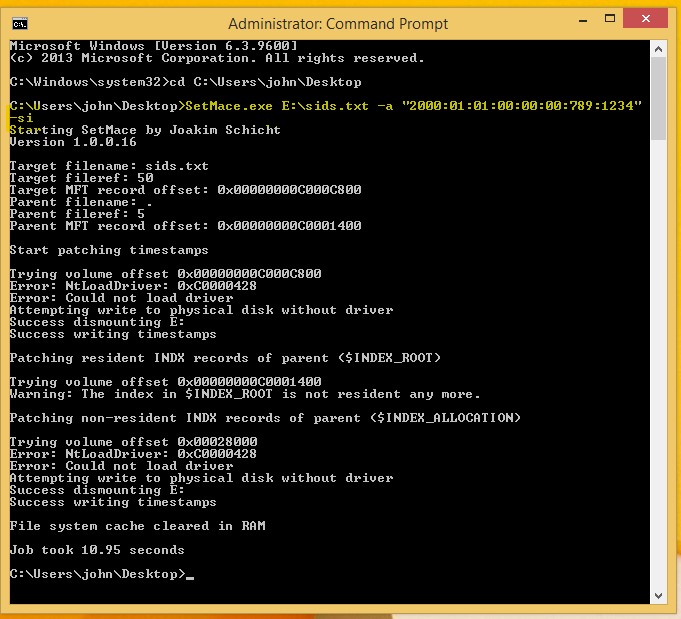
After succesfull execution.We can check changed last accessed timestamp.
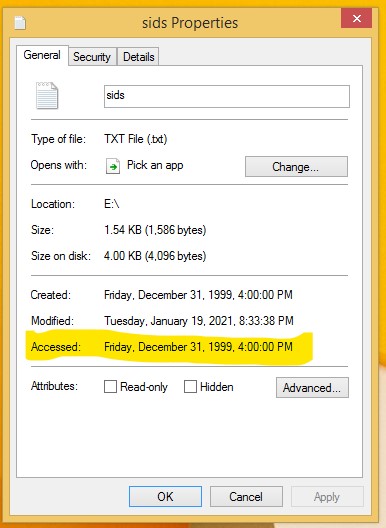
Similarly we can change various timestamps of NTFS file systems. You can perform more time stamp manipulations by following official documentation
B) ext4 Time Stomping
Prerequisite
- You should have linux OS.You can change timestamp of any file on this system. I will change timestamp of sids.pdf file which is stored on desktop of my ubuntu(SANS SIFT) linux distro.
Procedure :
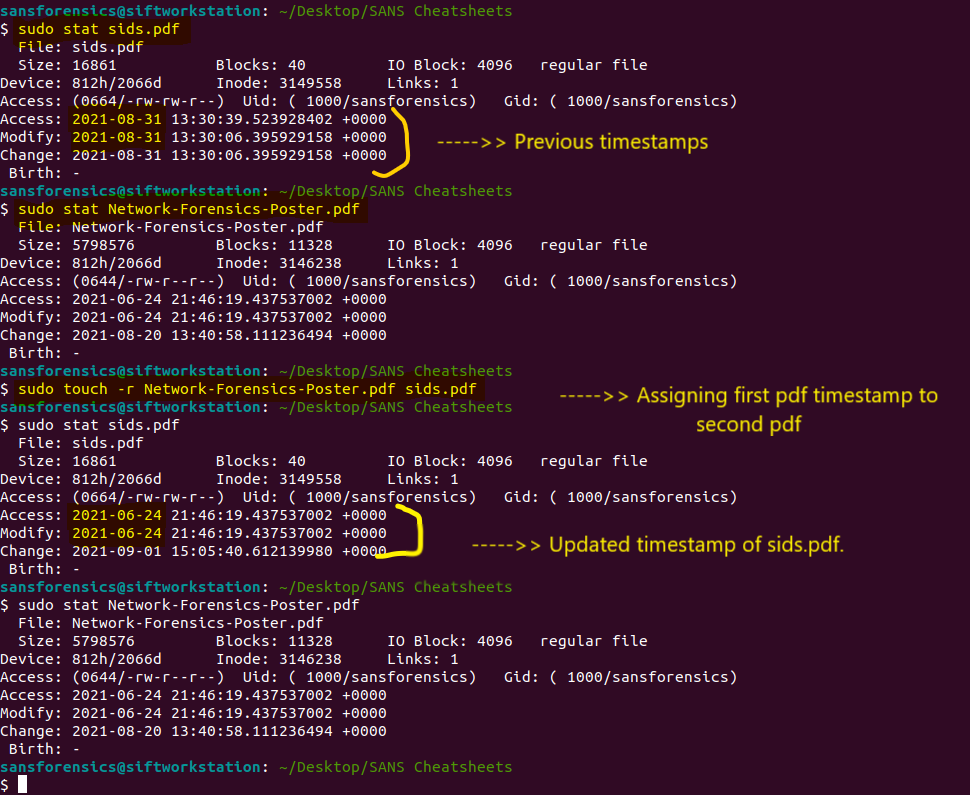
- We will check time stamp of sids.pdf file.
Note: We also need another pdf file (In my case Network-Forensics-Poster.pdf) whose timestamp we will assign to sids.pdf .Thus before manipulation of timestamp, I will check timestamp of both pdf files.
- Now we will use touch command to change timestamp of sids.pdf file.
sudo touch -r Network-Forensics-Poster.pdf sids.pdf
Conclusion
Thus using setmace tool we changed timestamp in NTFS File system. Using simple touch command we changed ext4 file system timestamp.